From Legacy Wiki

Introduction
Game Settings is the first option on the drop-down menu under SETTINGS. The other options from this drop-down menu can be found here.
Game Settings
Here you can:
- Change the order of how players appear in Online Now.
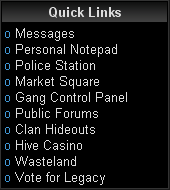 This can be found on either the left or right side bar of your screen when playing Legacy.
- Enable or disable forum signatures and profile midis.
- Enable or disable Hunted Cow Top Bar.
- Enable or disable MIDIs.
- Choose the default attack type used in fights and hunting.(Requires certain Combat Abilities)
- Enable or disable Warfare Colorblind support.
- Change the height of the warfare chat.
- Enable or disable newbie tips.
- Change the animation for the drop down menus.
- Stop EXP at level 80
- Edit your quick links.

